Sweet Integrations: technology integration

Showing posts with label technology integration. Show all posts

7 Ways to Integrate Technology Across All Subject Areas

As educators, we seek innovative ways to engage students across various disciplines, and the integration of technology emerges as a key strategy. Technology is a helpful tool that can make learning more interesting and fun.

In this blog post, we'll explore seven effective ways to seamlessly infuse technology across all subject areas, fostering a collaborative, interactive, and forward-thinking educational environment. From science to literature, mathematics to the arts, discover how embracing the power of technology can elevate the learning experience and prepare students for the challenges of a digitally-driven world.

Title Image
0

Celebrate Diversity With Mentor Texts

To Celebrate Diversity With Mentor Texts, I've selected the book I Am Enough by Grace Byers. Because my granddaughter is biracial, I am always looking for books to boost her self-esteem and empower her. Grace Byers is biracial and a child of deaf parents. She was bullied as a child. This inspired her to write this book and I Believe I Can. Make sure to download your free activities about the book.

Title Image
0

Technology Tips in Using "Flippity" Google Add-On™

I'm celebrating Digital Learning Day on February 22nd, with some of my favorite techie teacher friends. We have some technology tips, tricks, and content to improve student outcomes. I have some Tips in Using "Flippity" Google Add-On for integrating technology in the classroom.

students sitting with text "Celebrate Digital Learning"
19

Engaging Activities for the Winter Games

I'm so excited about the Beijing 2022 Winter Games. I've watched many of the qualifying events and informative documentaries on the athletes. I love getting to know their stories and how hard each athlete has worked to make it to South Korea. Because the Winter Games represent countries from all over the world, I've provided some engaging activities so your students can enjoy and understand more about the winter games.

Are you ready for the winter games? I've provided engaging activities for your students to learn while enjoying all the winter sport events. These activities are great for third, fourth, and fifth grades.

0

Tools 4 Students - Graphic Organizer App for Reading

Are there times when you want to use graphic organizers for reading in your classroom and don't have time to create them? Tools4Students is a great iPad app that contains 25 different templates for reading skills. You can choose from Cause/Effect to Story Elements to Fact/Opinion. All 25 colorful graphic organizers are excellent for digital learning. 

Are there times when you want to use graphic organizers with your students and don't have time to create them? Tools4Students is a great tool that contains 25 different templates for reading. You can choose from Cause/Effect to Story Elements to Fact/Opinion. And, all 25 colorful graphic organizers are excellent for elementary and middle school students.
2

Using Google Slides™ to Create Sugar Skulls


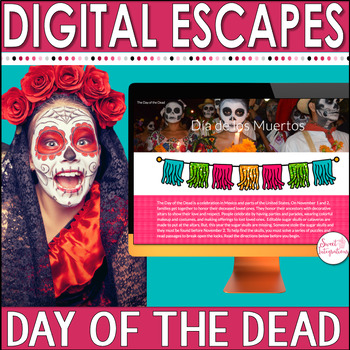
The Day of the Dead or Día de los Muertos falls on November 1st and 2nd. This Mexican tradition has been handed down from Spanish invaders since the 1500's. It's a time for families to celebrate the memory of deceased loved ones. They prepare colorful decorations and delicious foods. Some of the most popular decorations include alfeñiques or sugar skulls. This post provides a tutorial in using Google Slides™ to create sugar skulls.

Now you can create a DIY sugar skull within your classroom using Google Slides. This blog post walks you through the process and even includes a FREE download to try with your upper elementary, middle school, or high school students. It's a great way to have some fun this Halloween or during the Day of the Dead. Students will create their own artwork design using the free template provided. Click through to see the easy tutorial now. Plus get other materials your students will love!

0

Celebrate Digital Learning Week With Online Resources

As we recognize Digital Learning Week in our classrooms, our job is to emphasize that whenever students use any type of technology, they are expected to be good digital citizens. Digital Citizenship goes beyond the classroom curriculum. It's important to empower today's generation with skills so they can actively participate in social justice through positive engagement with social media. Celebrate Digital Learning Week in your classrooms with the online resources I've provided. 

Here a girl sits at her computer which says "Digital Citizenship Week" - where she is celebrate digital learning week.
0

Teaching Characterization With The Most Magnificent Thing

In preparing for the beginning of the year, picture books teach multiple skills in helping students adjust to school and learning new reading skills. In this post, you'll learn how to use Pic Collage Kids (PicKids) in teaching Characterization With The Most Magnificent Thing. Plus, I have a freebie you can download.

Teaching characterization does NOT have to be a challenge with the ideas & FREE download presented here. Plus your elementary students will utilize technology, which increases engagement. Use these activities with your 2nd, 3rd, 4th, 5th, or 6th grade classroom or home school students. Teaching the reading skill of character traits will be a breeze. Plus the step by step directions included make this an easy lesson plan. Click through to learn more! {second, third, fourth, fifth, sixth graders}

4

10 Questions to Ask Before Going Digital (with a FREEBIE)


As schools introduce more and more technology into their classrooms, teachers feel the pressure to use these digital tools and incorporate technology into their lessons. This has been an ongoing issue ever since I started teaching technology. However, implementing these tools is easier than you think, and you may already be doing it. Before introducing technology into a lesson, here are 10 questions to ask before GOING DIGITAL.
See if technology integration is right for you and your students. You'll find the 10 questions to ask before going digital. There's a FREE checklist too. Click through to learn more for your 2nd, 3rd, 4th, 5th, or 6th grade students. You'll be considering 21st Century Skills, enhancement, going paperless, student engagement, differentiation, and more about technology integration in the classroom.

0

Integrate Technology and Reading With the App ChatterPix Kids

Integrating technology and reading is so easy with the ChatterPix Kids app. I love to use this tool with my non-readers in the primary grades. It allows them to give a much more detailed response than they are able to write by hand, which helps me know how much they understand about what they just read. In this tutorial, I am going to show you the basics of what the ChatterPix Kids app looks like and provide 9 ideas for you to try with your students.

Thank you to Brittany Washburn for our guest post.

ChatterPix Kids is a great app for integrating technology and reading. In this tutorial I am going to show you the basics of what the ChatterPix Kids app looks like and provide 9 ideas for you to try with your students.


0

Building Community Through Project Based Learning With Freebie

It's the beginning of the school year and your goal is to create a positive atmosphere and community in your classroom. It's important to set the tone at the beginning of the year so your class meetings go well, your students work productively in collaborative groups, and your students can resolve conflicts.

Gear up for a great year with this back to school project based learning unit. I've included community building activities and a Back to School Snow Cone Party idea. I've included a FREEBIE!
5

Creating Editable Documents With Google Docs

Are you tired of dealing with stacks of papers to grade? Are your students constantly losing their homework or forgetting to turn in assignments? I'm seeing that more and more teachers are going paperless or wanting to make their documents editable to eliminate these issues.


I'm going to share an tip I have in creating editable documents using Google Docs or Slides with worksheets you may already have. It's easy to create editable documents in Google Docs or Slides from scratch but adding documents you already have just takes it a step further.

Are you tired of dealing with stacks of papers? I've provided you steps in creating editable documents with Google Docs.


0

Reading Current Events - Apps and Websites for Reading the News

Students can read a variety of current events with the apps and websites I've provided. This is great for studying informational text.

Do you find yourself searching all over trying to find appropriate current events for your students? Are you searching for news that is of interest to your students? Instead of having your students read articles in the newspaper or magazines, provide online applications or apps available for students to read. Reading current events and seasonal articles are wonderful introductions to reading informational text.

0
Powered by Blogger.