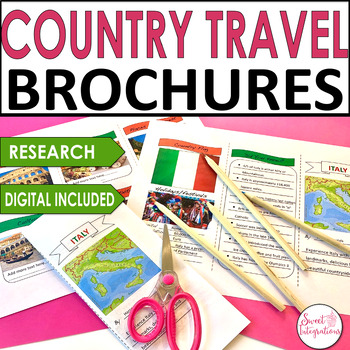
With Martin Luther King Day, Chinese New Year, Presidents Day, and Black History Month coming up, it's a great time for studying biographies and nonfiction. Using Digital Brochuresis an easy way for students to do their research about a person or place, and create a colorful brochure. In this post, you'll learn more about Using Digital Brochures With Nonfiction and Research.
This year, Chinese New Year begins February 12. It is the Year of the Ox The Oxis the second of the animals which appears in the Chinese zodiac in the Chinese calendar. There are 12 animals that are in the Chinese Zodiac. In this post, your students can celebrate other cultures with Chinese New Year. I've also provided a fun Game board FREEBIE.
Did you know that nine Asian countries celebrate the Lunar New year? About 1/5 of the world's population will be celebrating with their families and preparing their homes for the New Year.It's important for our students to learn about other cultures and appreciate their important holidays and festivals. Here are some websites and activities that you can implement into your curriculum:
* Activity Village - Activity Village is filled with crafts and activities. You do have to be a member to access all the printables.
* Soft Schools - This site lists fun facts about Chinese New Year. "The Chinese New Year is symbolic of letting go of the past and welcoming new beginnings. It's a popular time for spring cleaning."
* Trip Savvy - 10 Facts About Chinese New Year: The largest human migration happens during Chinese New Year. People travel to spend time with their families.
I'm so excited about the Beijing 2022 Winter Games. I've watched many of the qualifying events and informative documentaries on the athletes. I love getting to know their stories and how hard each athlete has worked to make it to South Korea. Because the Winter Games represent countries from all over the world, I've provided some engaging activities so your students can enjoy and understand more about the winter games.
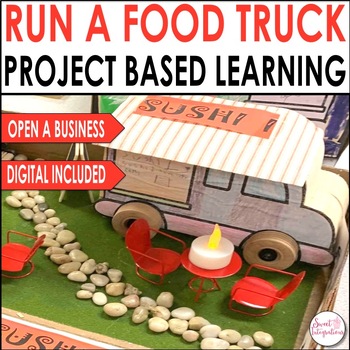
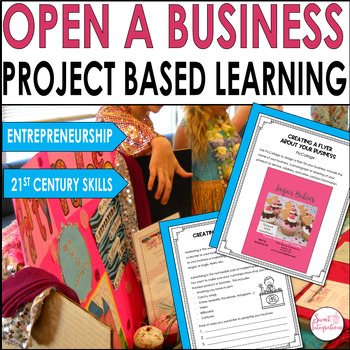
If your school offers summer programs for students, I highly recommend planning and implementing a summer project based learning camp. Beat the "summer slide" with motivating projects that include 21st Century Skills and curriculum standards. The Buck Institute for Education has a list of project based learning units that can be found on their website. If you're new to project based learning, BIE provides templates for planning your project. So, take the plunge and host your own project based learning summer camp.
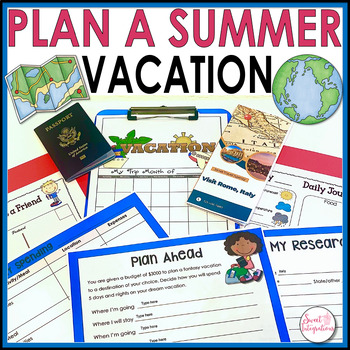
Many of your students may not have an opportunity to go on a family trip during summer break. So, let them plan a fantasy vacation with this fun Project Based Learning Writing and Math Project! While learning about a state or country, your students can plan the vacation. You may even have students who want to plan a "Stay-cation" and research fun places to visit around their own town or city.
For a break during or after testing, try implementing a spring project based learning unit. Your students are guaranteed to be engaged with hands-on, real-world challenges and activities. With project based learning, curriculum standards will still be covered, along with 21st century learning skills. In this post, I'll provide you will pbl units about the environment, endangered species, and economics. These units can even be used for Earth Day. Let's celebrate spring with project based learning!
It's the beginning of the school year and your goal is to create a positive atmosphere and community in your classroom. It's important to set the tone at the beginning of the year so your class meetings go well, your students work productively in collaborative groups, and your students can resolve conflicts.
Are you tired of dealing with stacks of papers to grade? Are your students constantly losing their homework or forgetting to turn in assignments? I'm seeing that more and more teachers are going paperless or wanting to make their documents editable to eliminate these issues.
I'm going to share an tip I have in creating editable documentsusing Google Docs or Slides with worksheets you may already have. It's easy to create editable documents in Google Docs or Slides from scratch but adding documents you already have just takes it a step further.
I'm sure most of you have a school website where teachers are given their own class portal with different features. For those of you who do not have a school website or wish to have a more interactive alternative for your students, I recommend Google Sites.
1. I use Google Sites for a specific reason. Because I create products for my buyers on different educational online marketplaces, I put my online resources and recommended books on a Google Site. If a site no longer exists, I can easily delete the link. Or, if I come across a new website or book I want to add to my list, I can just go to my Google Site instead of editing each product. Click on these two so you can see the different between them.
2. Google Sites is a great FREE tool for students to write, share and collaborate on projects. With higher level thinking skills a priority, students can add information to the same page while doing their research. Students can access their site from anywhere.
3. Teachers can use Google Sites for their personal portfolio. This can be used for teacher evaluations and more. My friend Jennifer Kimbrel with Tech With Jen has an excellent post about using Google Sites for storing teacher evaluation artifacts.
4. Teachers can embed videos for students to watch. Instead of students going to YouTube, videos that you create or YouTube videos can be easily added to a site.
5. By using the File Cabinet feature, teachers can store files for students to access. If a student is absent or loses a worksheet or assignment, students can just download the file from the Google Site.
There are many more uses for students and teachers. Why do you use Google Sites?
Here's a great video tutorial in learning how to use Google Sites.
As we prepare our students to be 21st Century learners, they are learning through many types of resources and media available at their fingertips. With hand-held devices, accessing information is instantaneous. These tools are part of students' everyday life with benefits and disadvantages. Students learn to dig deeper with inquiry learning.