Sweet Integrations: Digital Breakouts

Showing posts with label Digital Breakouts. Show all posts

5 Ways to Use Google Forms™ With Digital Escape Rooms

If you enter a classroom filled with excitement, laughter, and students have a feeling of accomplishment, the students may be working with Digital Escape Rooms.  

As I create Digital Escape Rooms, I've become aware of all the different activities and applications that can be implemented. I have used Google Sites, Google Slides, Google Sheets, Flippity, online games and puzzles, videos, and Google Forms with my escape rooms.  In this blog post, I'm going to share 5 Ways to Use Google Forms With Digital Escape Rooms.

Title image
0

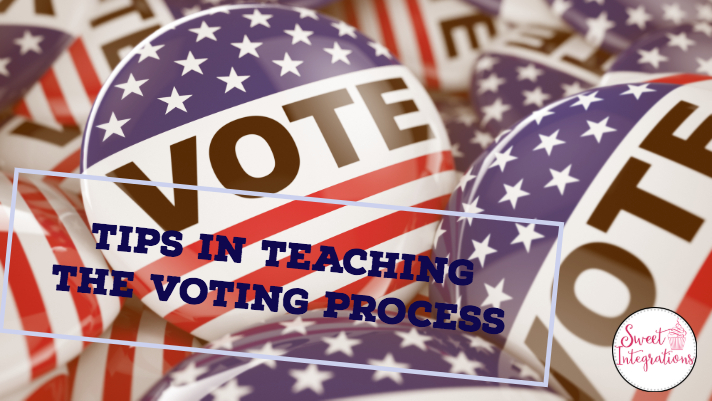
Tips in Teaching the Election Process in America

With the upcoming election, this is the perfect time to teach our students about our government and the election process. Whether this is a presidential election year or not, it's important for our students to realize that citizens' voices count in electing our local, state, and national officials.

vote buttons with text "Tips in Teaching the Voting Process"
0

Create Your Own Digital Escape Room With Flippity Scavenger Hunt

Are you familiar with Flippity? It's one of my favorite ways to use Google Sheets. You can easily turn Sheets into flashcards, hangman, match games, board games, scavenger hunts and more. It's also a great productivity tool for teachers with the random name selector, certificate maker, and progress indicator. In this post, I'll show you how to Make Your Own Digital Escape Room With Flippity Scavenger Hunt


1

Using Powtoon with Digital Escape Rooms

When designing Digital Escape Rooms, my goal is to present information in a creative and engaging way. Digital Escape Rooms involve collaboration and enable students to think critically and problem-solve as they solve puzzles and clues. I'm always looking for new apps and ideas to incorporated into the escapes. I recently used Powtoon With Digital Escape Rooms.

Title image Using Powtoon with Digital Escape Room


0

Preparing for Digital Escape Rooms with a FREEBIE

When implementing Digital Escape Rooms in your classroom, I want you and your students to have a good working knowledge of the activities. When all of you feel comfortable in how Digital Escape Rooms work, you can count on a positive outcome. In this post, I'm going to give you helpful hints in Preparing for Digital Escape Rooms.

kids working at computer with words "Digital Escape Rooms: Preparing Students and Teachers"
0

End the Year With Technology {Engaging Tech Activities}

What do you plan for your students with only a few weeks left in the year? You want to keep your students engaged in school but, it's obvious that they're ready for summer. To ensure your students continue learning until the last day of school, you can end the year with technology by using these engaging tech activities.

Kids are outside using technology with the words "End the Year with Engaging Tech Activities"

0

Using Digital Breakouts to Teach Required Skills

I first came across using Digital Breakouts at the Texas Computer Education Association conference. I love the idea of a game format, solving puzzles, a little competition, and applying high-interest activities to learning important skills. I highly recommend Using Digital Breakouts to Teach Required Skills. Shhhh...Don't tell your students they're actually learning content while playing this action-packed digital scavenger hunt game.


0
Powered by Blogger.